One screen-time budget across every device.
One shared daily limit across the iPad, gaming PC, and Switch. With gentle wind-downs kids don't fight.
Free download · one subscription covers the whole family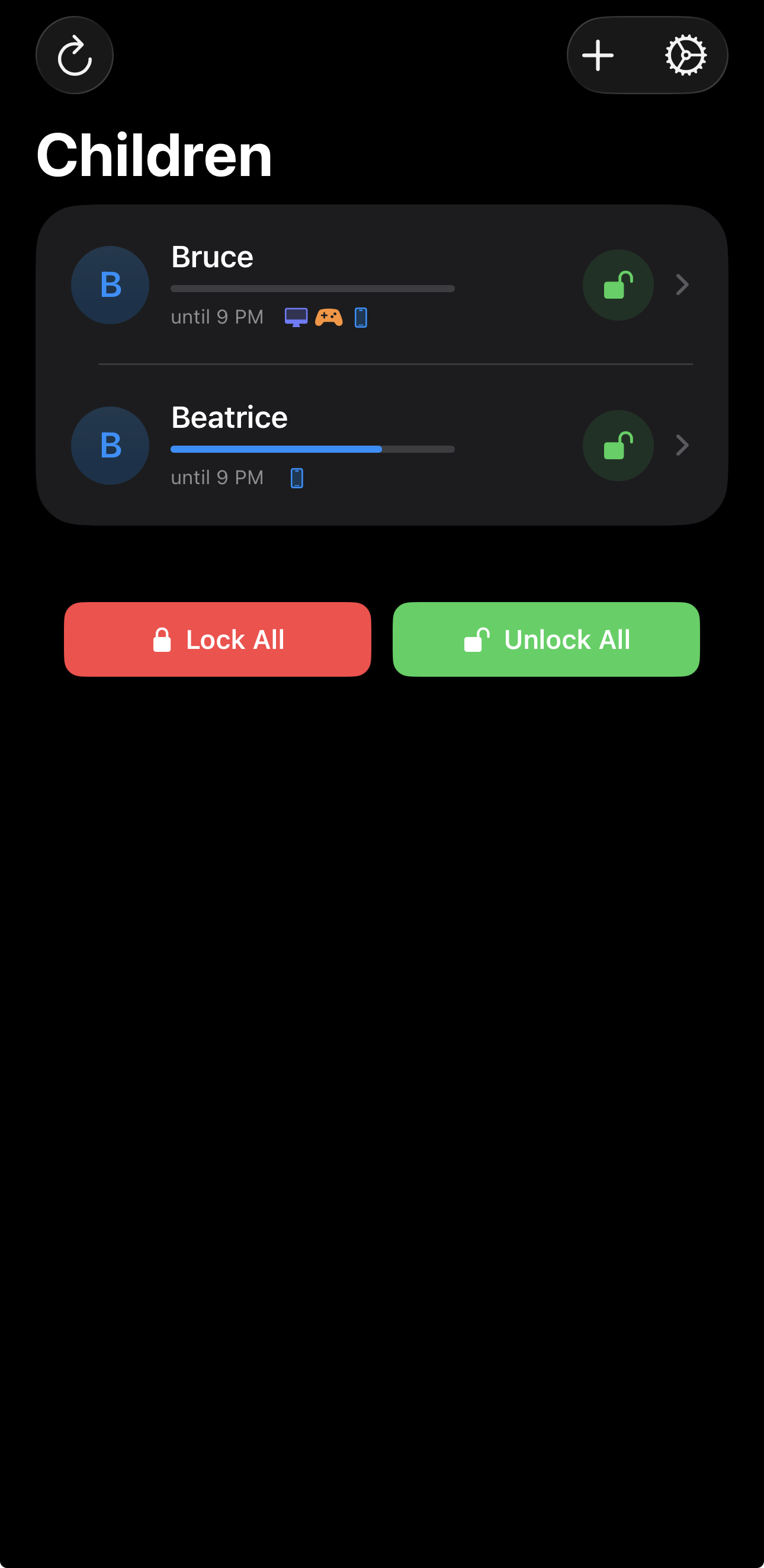
One kid. Five screens. Four different parental apps.
Apple covers the iPad. Microsoft covers Windows and Xbox. Nintendo and Sony each cover their own console. Playful Pause replaces the juggling with one shared budget.
Kids who actually want to stop
Other apps slam the door and trigger a meltdown. Playful Pause gives a gentle heads-up before time's up, then celebrates the stop with streaks and small wins, so handing the device back feels like a win. The behavior change is the product.
No dodging to the backup device
Set the daily limit once and it covers the gaming PC, Nintendo Switch, iPad, and every other paired screen as one shared budget. Run out on one, and there's no sneaking to another to keep going. The limit follows the kid across every screen they touch.
Everything in one place, for you
Every device, every limit, and every "can I have more time?" lands on one screen. Approve, unlock, or lock everything with a single tap from your phone. You stay in the loop without standing over anyone's shoulder.
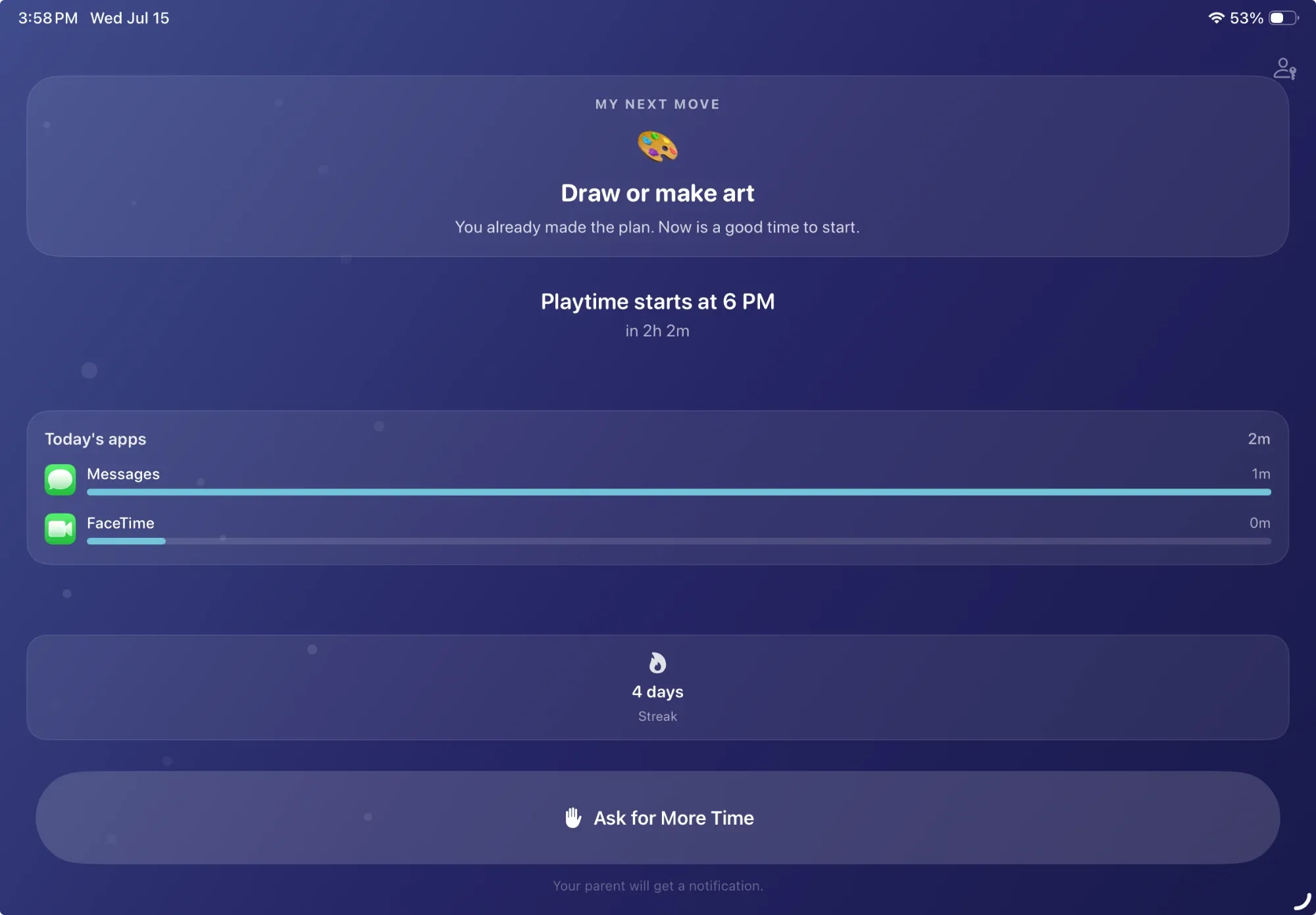
When time's up, it points them somewhere better.
Three features, new in the latest release, built around how kids actually wind down.
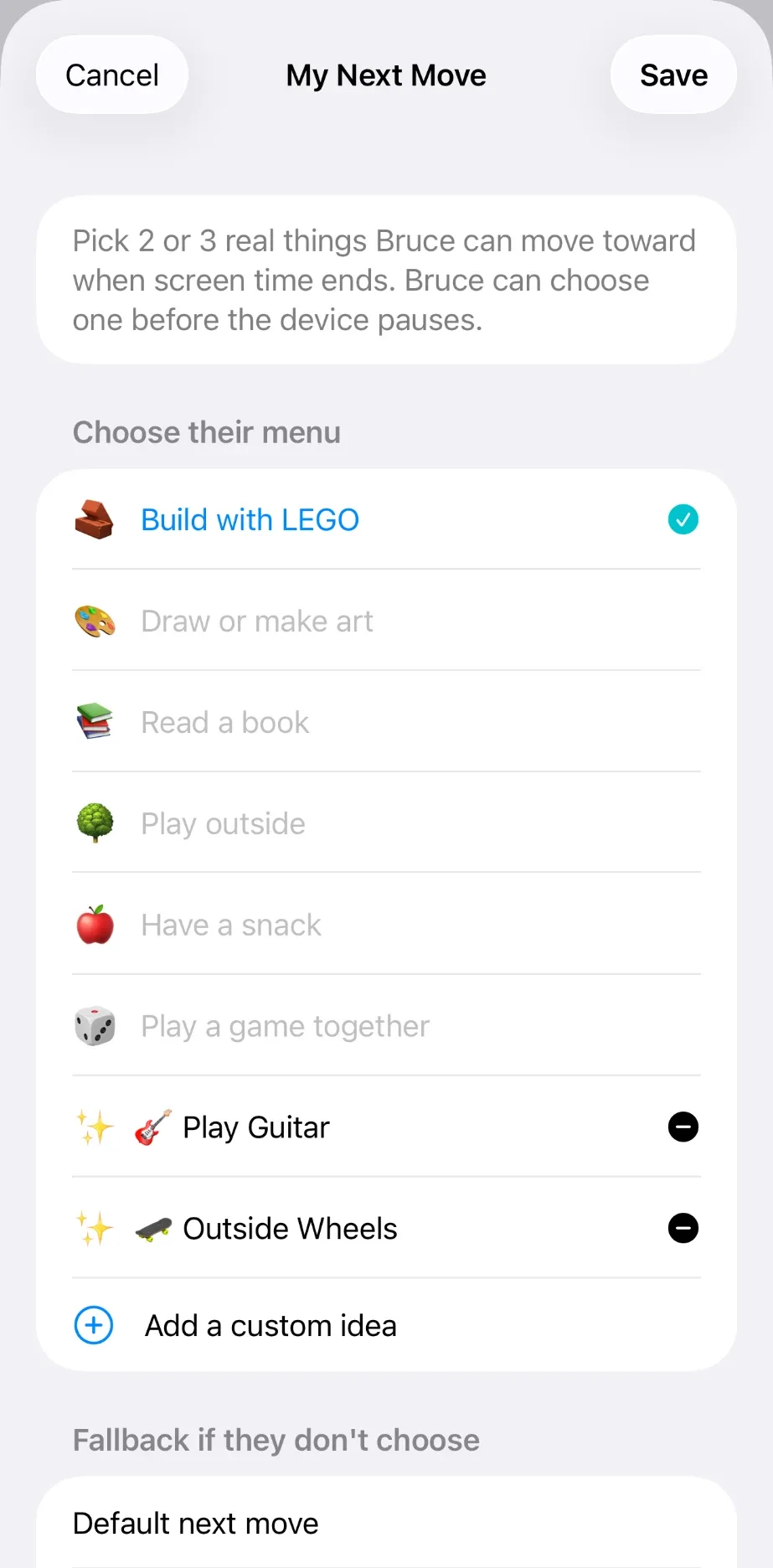
My Next Move
Before play starts, your kid picks one offline activity from a shortlist you curate. At shutdown, the app shows their own choice: "You picked LEGO. Ready?" Picture cards for ages 4 to 6, interest-based picks for 7 to 11, and teens write their own private list.
Choose Your Finish
In the final five minutes, one prompt: finish now, or use the last five. The boundary never moves. An always-available "I'm done" lets kids stop early and earn quiet, private credit: "You stopped when you planned."
Need a Hand?
Kids can ask for help starting their next move. One tap sends you their chosen activity and a supportive script. Help when they want it, independence when they don't.
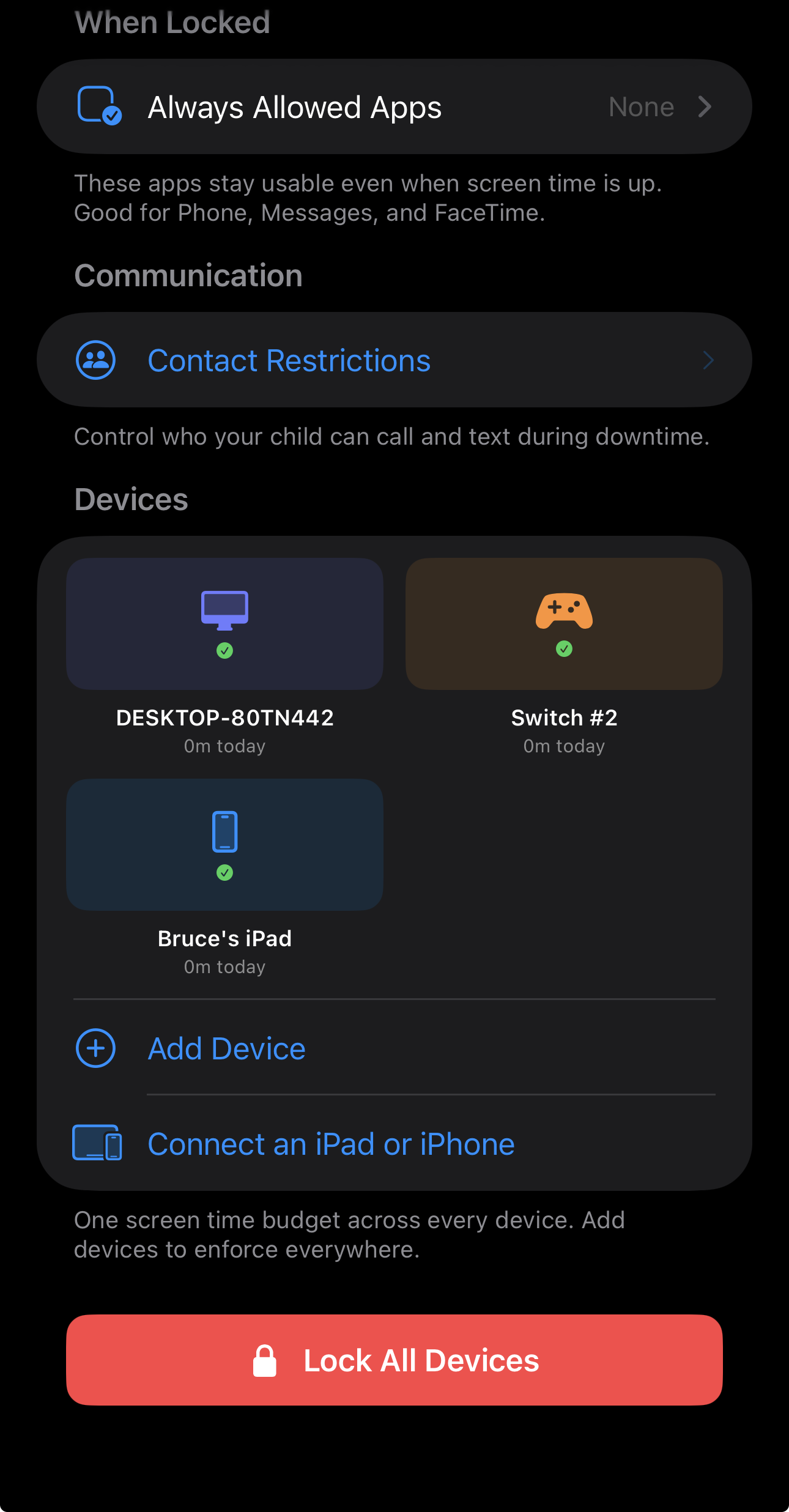
A PC, a Switch, and an iPad. One budget.
Bruce's live setup shows the point: one child, one budget, three very different screens. A gaming PC, a Nintendo Switch, and an iPad all report into the same place and can be locked together.
How it stacks up.
| Capability | Playful Pause | Apple Screen Time |
Microsoft Family Safety |
Qustodio | Bark |
|---|---|---|---|---|---|
| One shared budget across multiple devices | ✓ | ✗ | ✗ | ✗ | ✗ |
| Nintendo Switch | ✓ | ✗ | ✗ | ✗ | ✗* |
| Windows gaming PC | ✓ | ✗ | ✓ | ✓ | ✗* |
| iPad & iPhone | ✓ | ✓ | ✗ | ✓ | ✓ |
| Makes stopping feel like winning | ✓ | ✗ | ✗ | ✗ | ✗ |
* Bark can pause a console's Wi-Fi, but it requires buying separate Bark Home hardware, and offline play keeps going.
Based on each product's published platform support as of July 2026.
The rest of the field, sorted.
Phone & tablet monitors
Strong on phones, web filtering, and activity reports. Zero console control, and every device gets its own separate limit.
Wi-Fi router boxes
They pause the internet per device, so they can reach a console. But you buy hardware, and offline play keeps going.
Platform parental controls
Free and solid, inside one ecosystem. Each covers only its own devices, so a kid with a mixed setup slips between them.
One budget across all of it
A single shared playtime budget that follows the kid across the iPad, the PC, and the Switch.
Set it once. Watch it run.
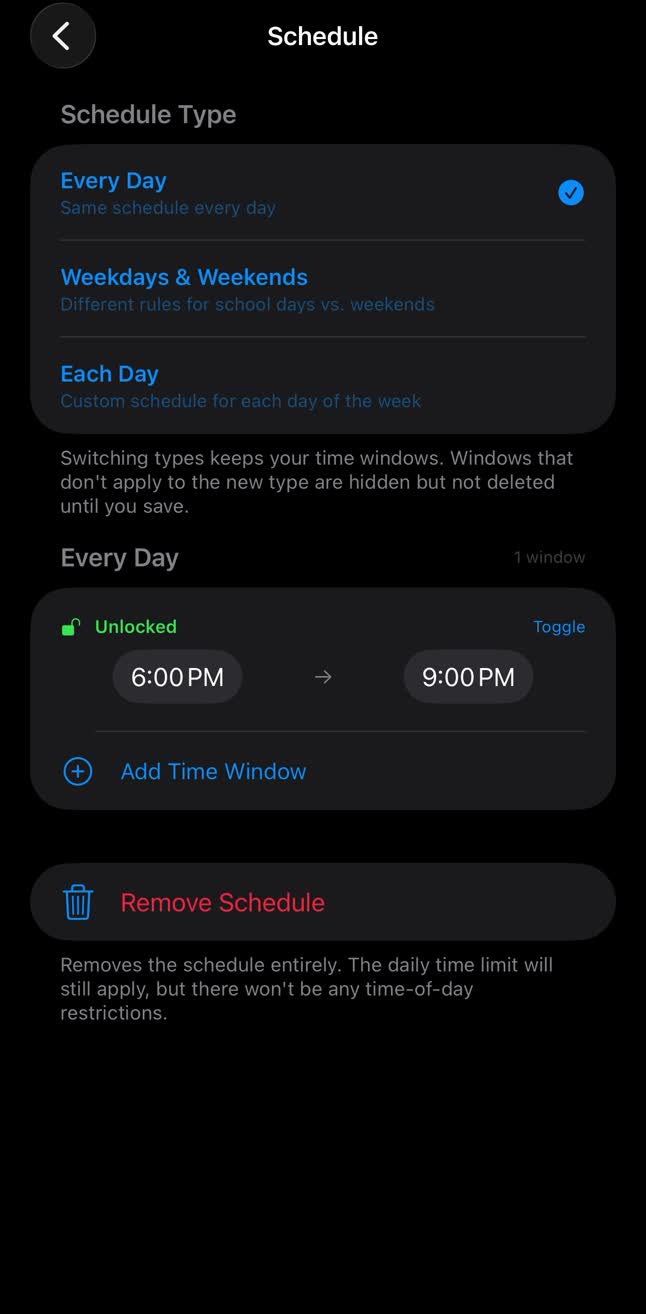
Set the schedule once
Pick the daily window, like 6 to 9 PM. Playful Pause handles every day after that.
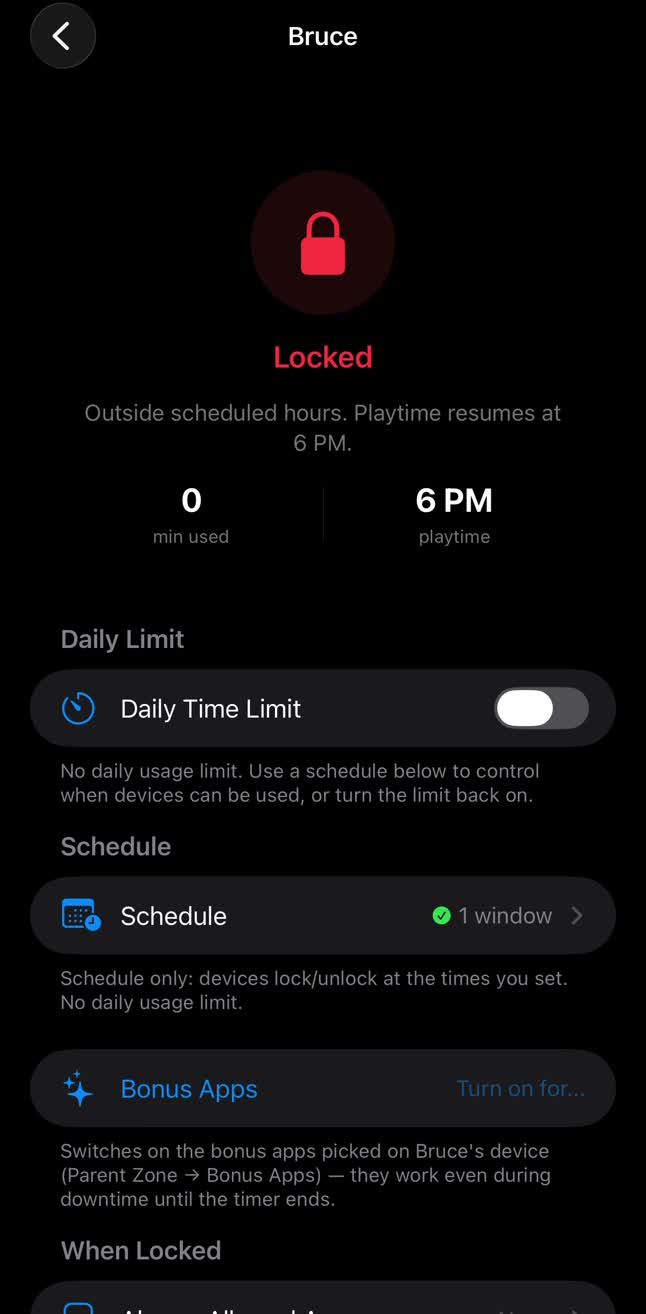
Playtime ends on its own
Outside the window, devices lock and the app says when play resumes. No chasing, no negotiating.
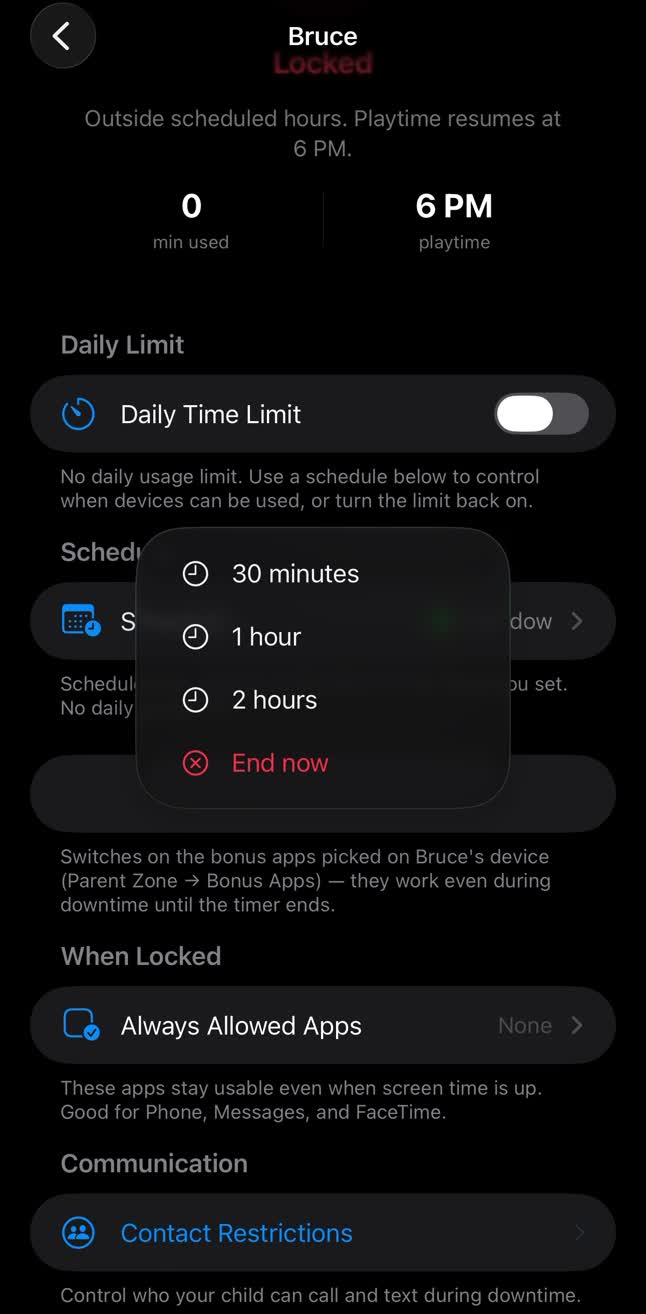
More time is one tap
Grant 30 minutes, an hour, or end play now. From your phone, wherever you are.
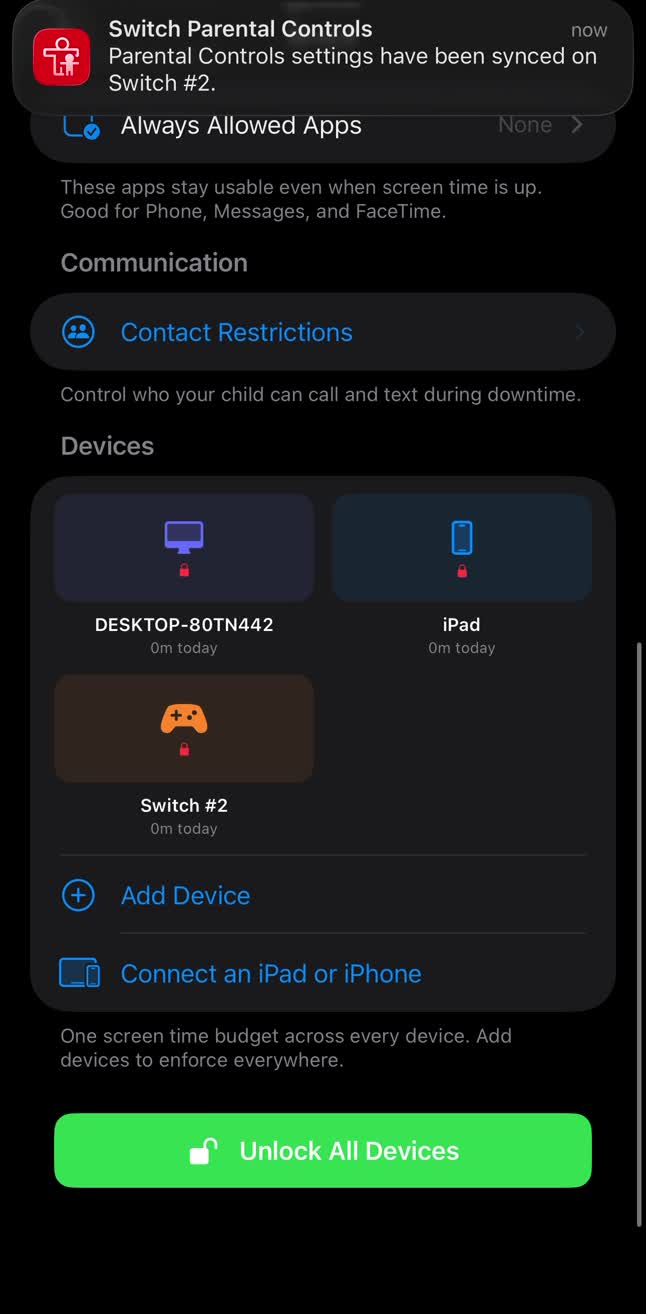
Every device follows
One change syncs to the Switch, the PC, and the iPad in seconds. Unlock everything with one tap.
The only thing it watches is the clock.
Playful Pause never sees your child's messages, location, or what they watch. It only stores the family setup, lock state, schedules, and the usage needed to run one shared budget across devices.
The things parents actually ask.
Playful Pause is a parental screen-time app that gives each child one shared daily budget across supported devices. Parents set schedules, approve extra time, and manage paired devices from one dashboard.
No. On iPad, enforcement runs through Apple's Family Controls. On PC and Switch, the paired platform reports back to Playful Pause and follows the shared lock state. It is not just a timer inside the parent app.
The daily limit is a single shared budget across every paired device, not a separate timer per device. When the budget's spent, it's spent on the gaming PC, the Switch, and the iPad at the same time.
No. We never receive messages, location, or browsing history. Playful Pause stores only the information needed to run schedules, locks, device pairing, and shared usage totals.
We've temporarily paused new PlayStation pairing while we work through some platform issues. The team is actively on it, and PlayStation support will return. Limits on the iPad, gaming PC, and Switch are unaffected.
They ask from their device and you get a notification. Approve it and minutes are added to the shared budget; hold it and nothing changes. You're always the one holding the dial.
End the daily screen-time fight.
Playful Pause is on the App Store now. Free to download, with a 3-day trial, and one subscription covers the whole family.
Download on the App Store